Redesigning the Classroom

- Client
- Helix Languages
- Role
- Lead Product Designer
Helix Languages began as an attempt to build a better language-learning app than Duolingo using machine learning. Five rounds of research with about 20 teachers and 2-3 students changed the problem: digital teaching was a patchwork of disconnected tools, and teachers were spending their time outside class stitching them together. The product pivoted to empower teachers rather than replace them. I joined as a UI designer and became the design lead, working with a second designer and three developers. The company was a startup that never launched.
- 01Reframed the product from a consumer language app to a teacher-first platform through five rounds of research
- 02Led design from research to hand-off, working with a second designer and three developers
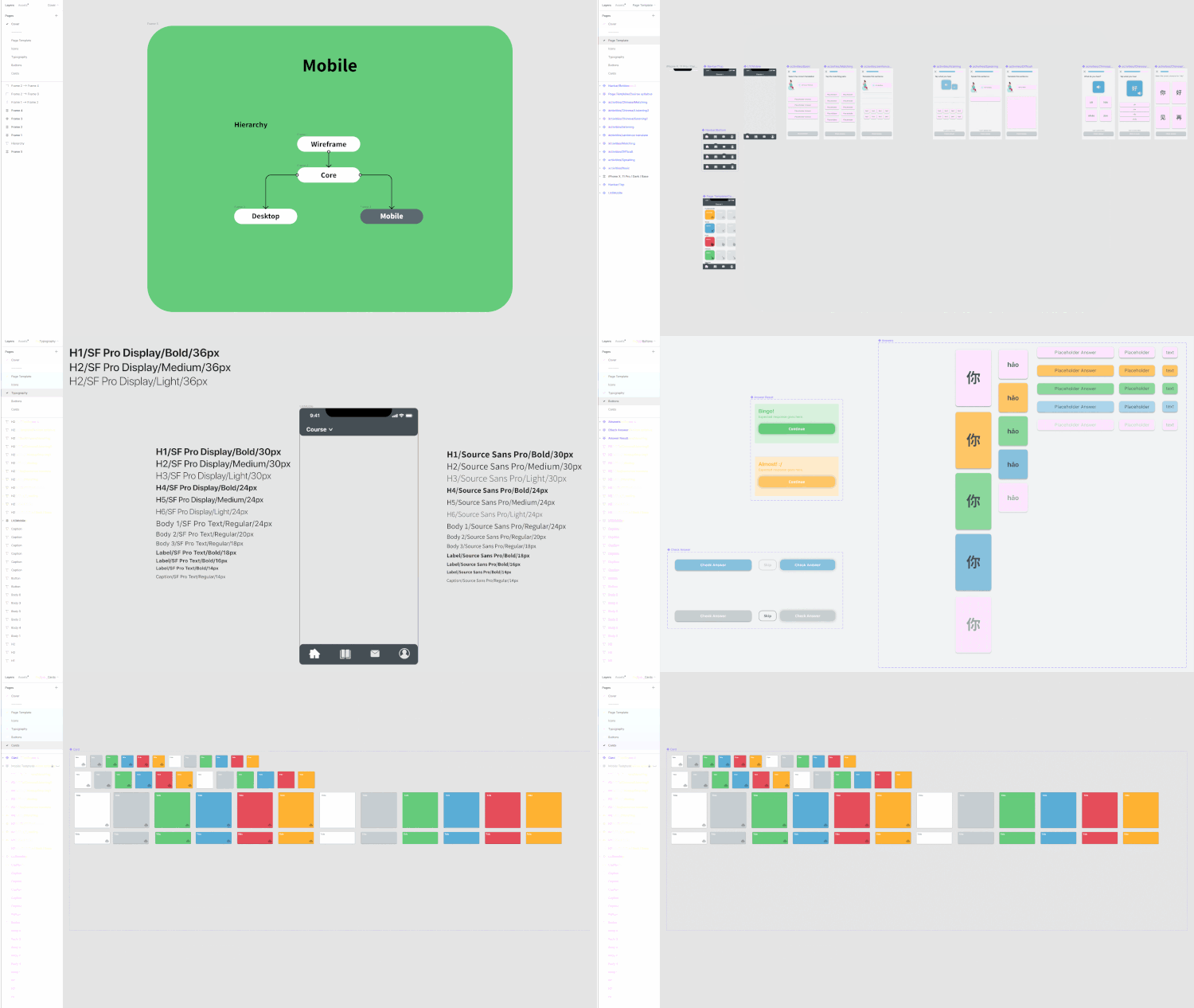
- 03Built the central design system (color, typography, iconography, core components) and a parallel teacher-side and learner-side system
- 04Delivered the components, pages, and interactions that went to development
01 — The pivot
The pivot
Empower teachers — don't replace them.
We started with a consumer idea: use machine learning to build a language-learning app better than Duolingo.
Our first interviews with teachers and students changed that. Digital teaching, in the middle of the pandemic, was a mess: teachers were spending hours outside class on grading and lesson prep, and juggling several unconnected programs to do it.
We dropped the original plan. The product became a teacher-first platform that would give teachers their time back and make the learning tools work together, instead of replacing the teacher with software.
02 — Research
Research
We started by classifying the different types of users: learners (independent and classroom), teachers, and administration.
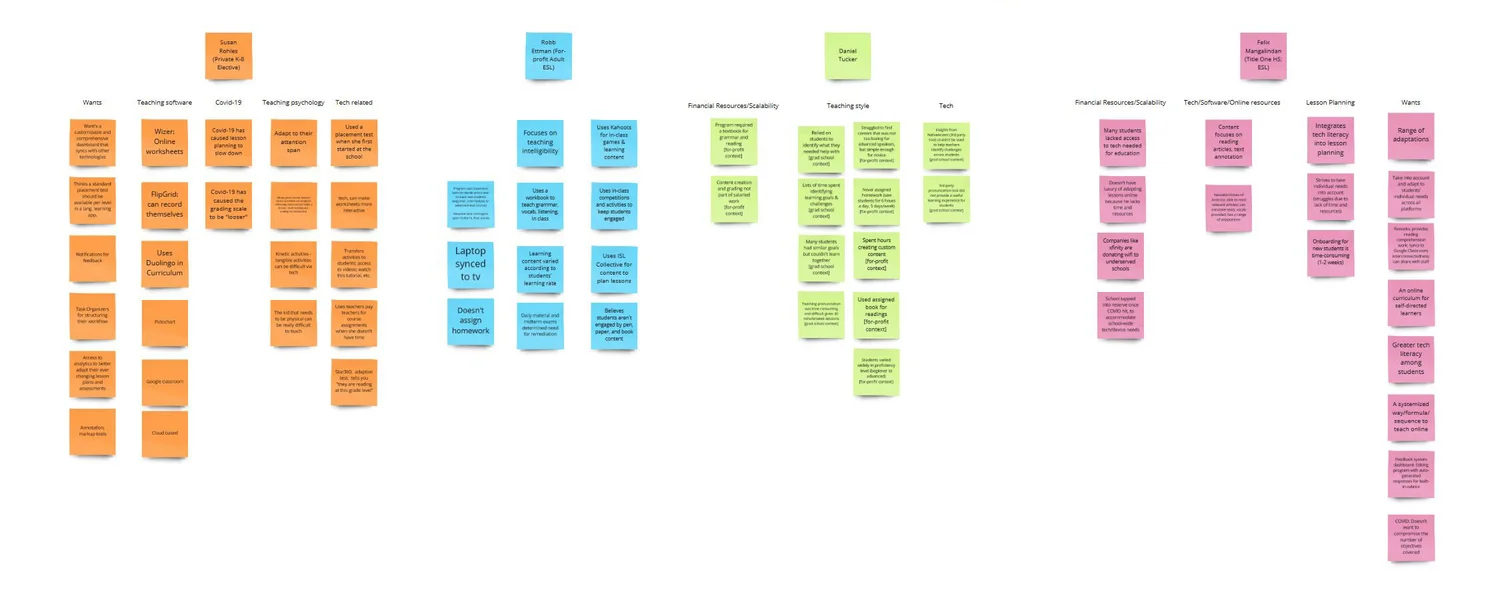
Across five rounds we interviewed and surveyed about 20 teachers and 2-3 students to understand what digital learning was like during a pandemic and how we could empower teachers rather than replace them.
From our first round of interviews and surveys we found key insights that would inform our information architecture: teachers spend a lot of time outside of class on grading and lesson prep, and teachers are using multiple programs to meet their needs.
- teachers interviewed
- ~20
- rounds of interviews & surveys
- 5
- design systems built in parallel
- 2
Competitive Analysis
Our competitive analysis and market research involved analyzing the strengths and weaknesses of language-learning products as well as classroom management tools like Google Classroom. Since we were starting from scratch, our brand language would begin with this product — through competitive analysis I defined our direction in the form of style guides and inspiration boards.
In-Depth Interviews
Goals: develop a unique vision for the teacher experience by identifying the needs, motivations, and pain points of target customers (U.S. market); record their reported behaviors around lesson planning — onboarding, navigating, and customizing existing digital teaching tools; and investigate their hopes and expectations for supplemental teaching technology.
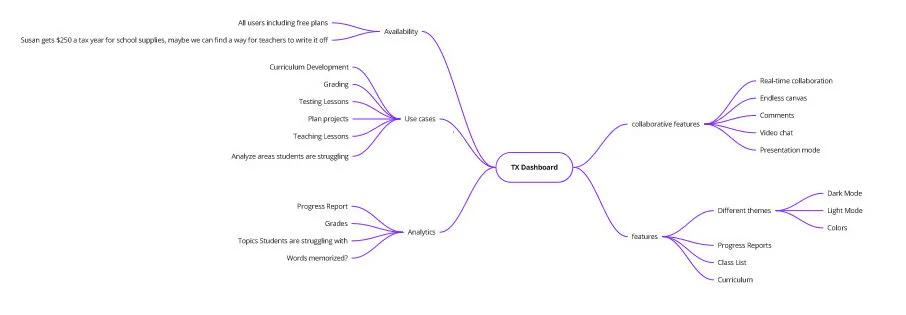
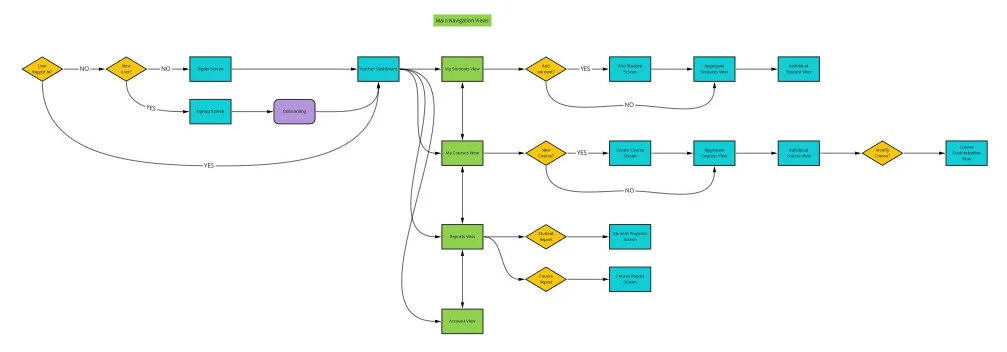
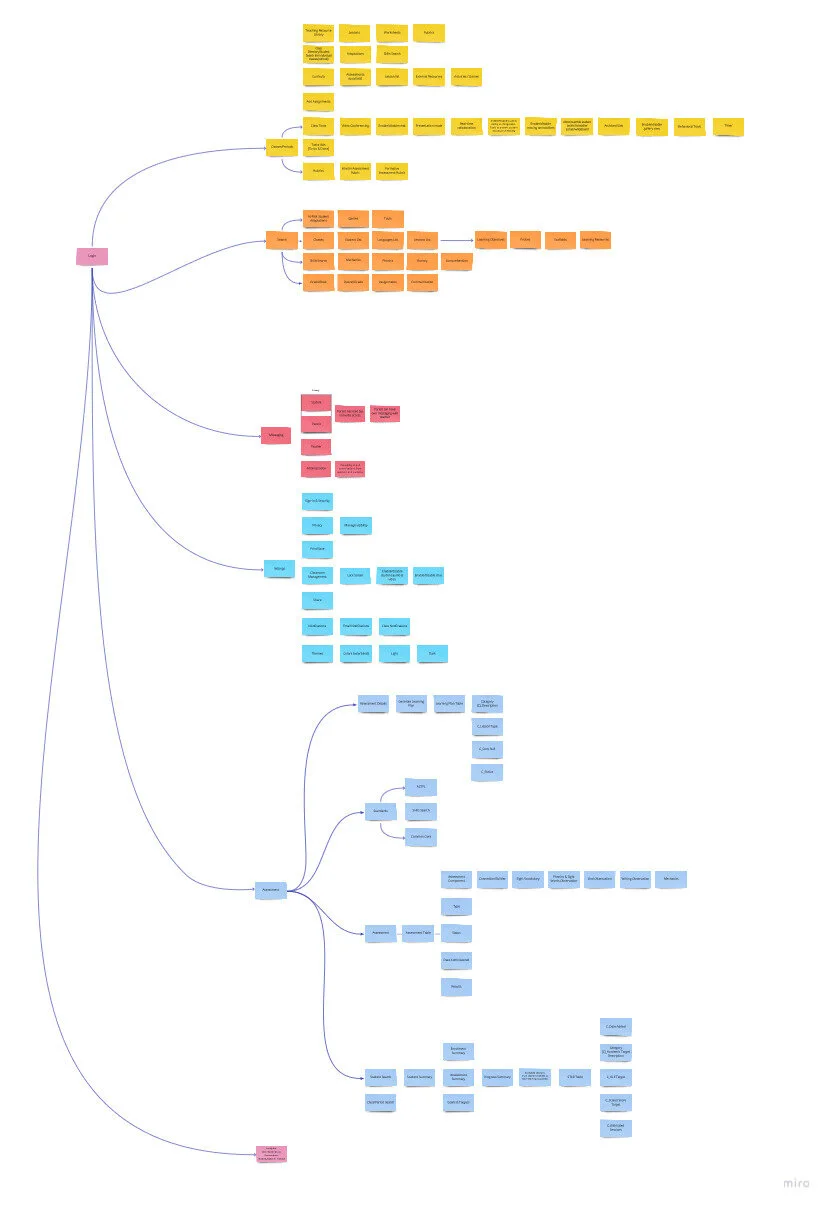
Information Architecture
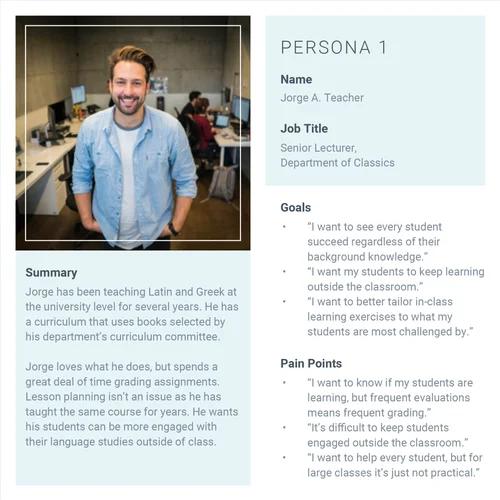
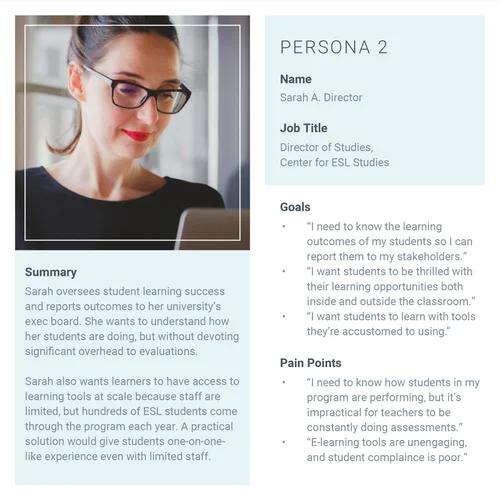
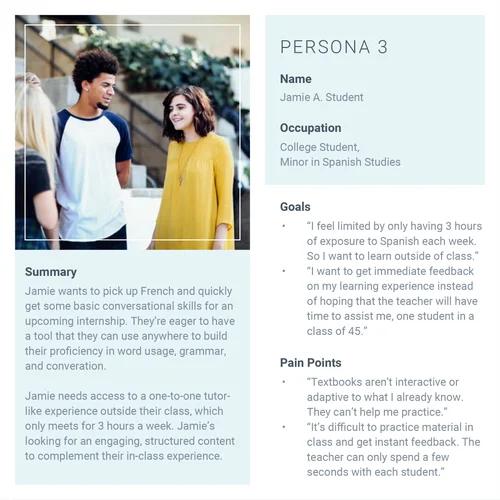
The card sorting work established the three user flows we explored: Admin, Teacher, and Student.
03 — UI Design
UI Design
From wireframe to working design system.
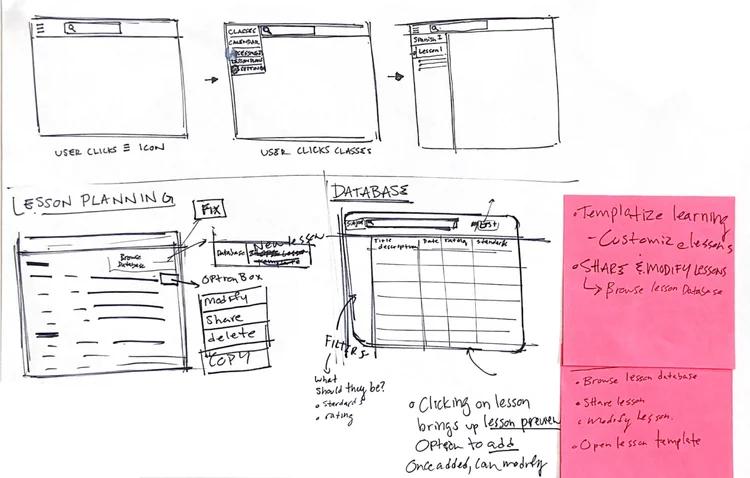
In tandem with the information architecture taking form through wireframes, I began transforming them into conceptual UI. The teacher-side and learner-side design systems were built in parallel — colors, typography, iconography, and core components — and carried directly into high-fidelity screens and a working prototype.
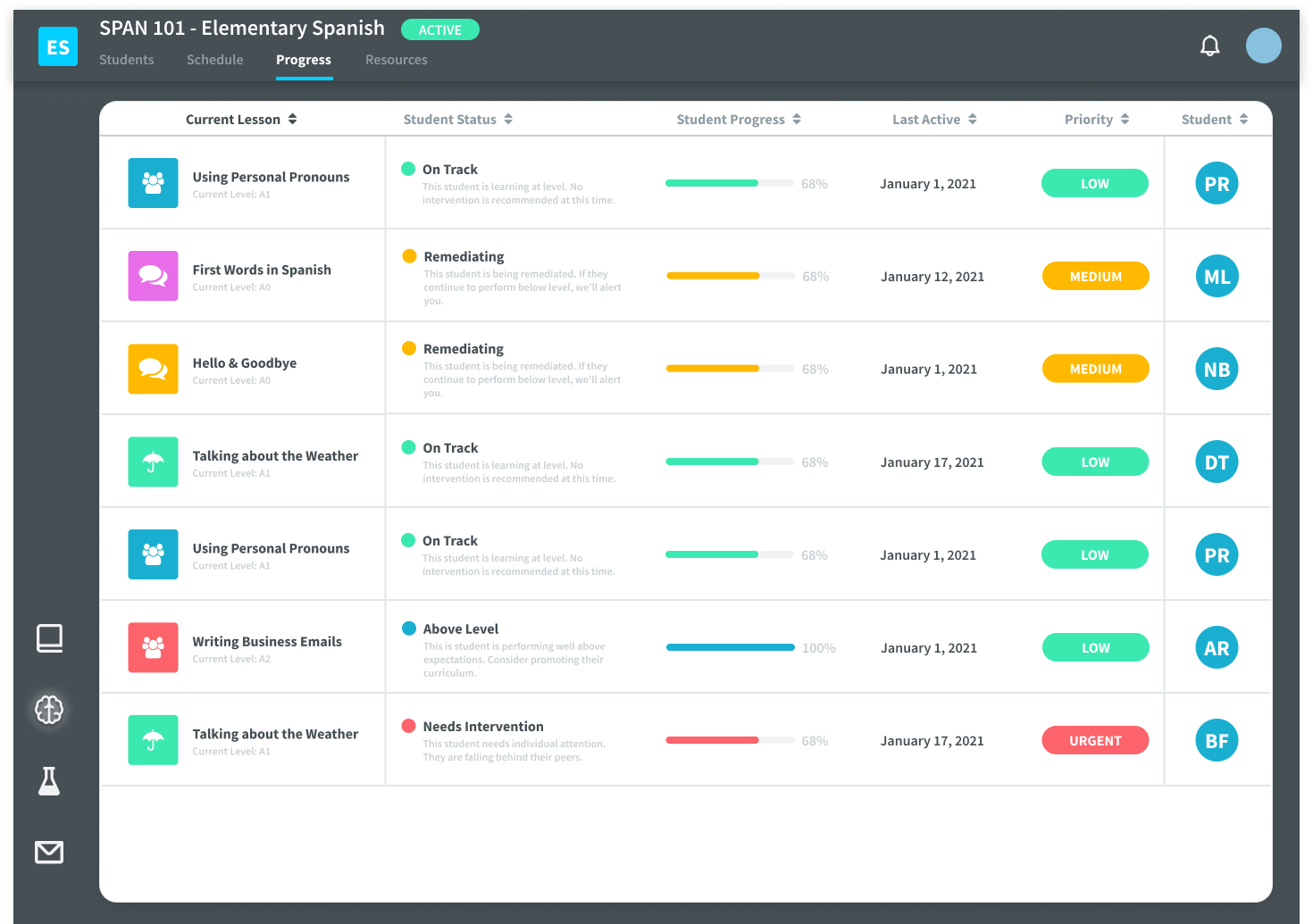
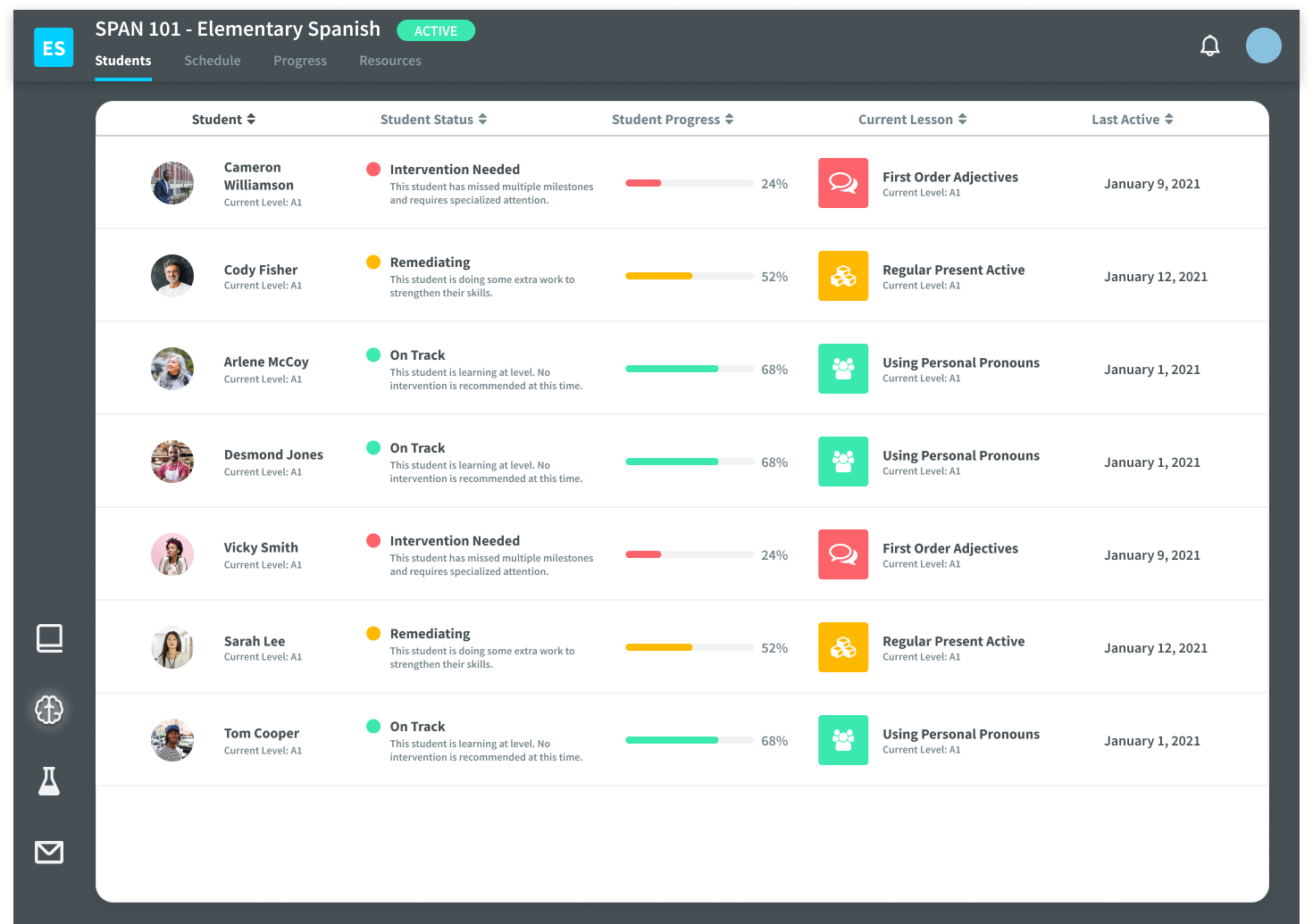
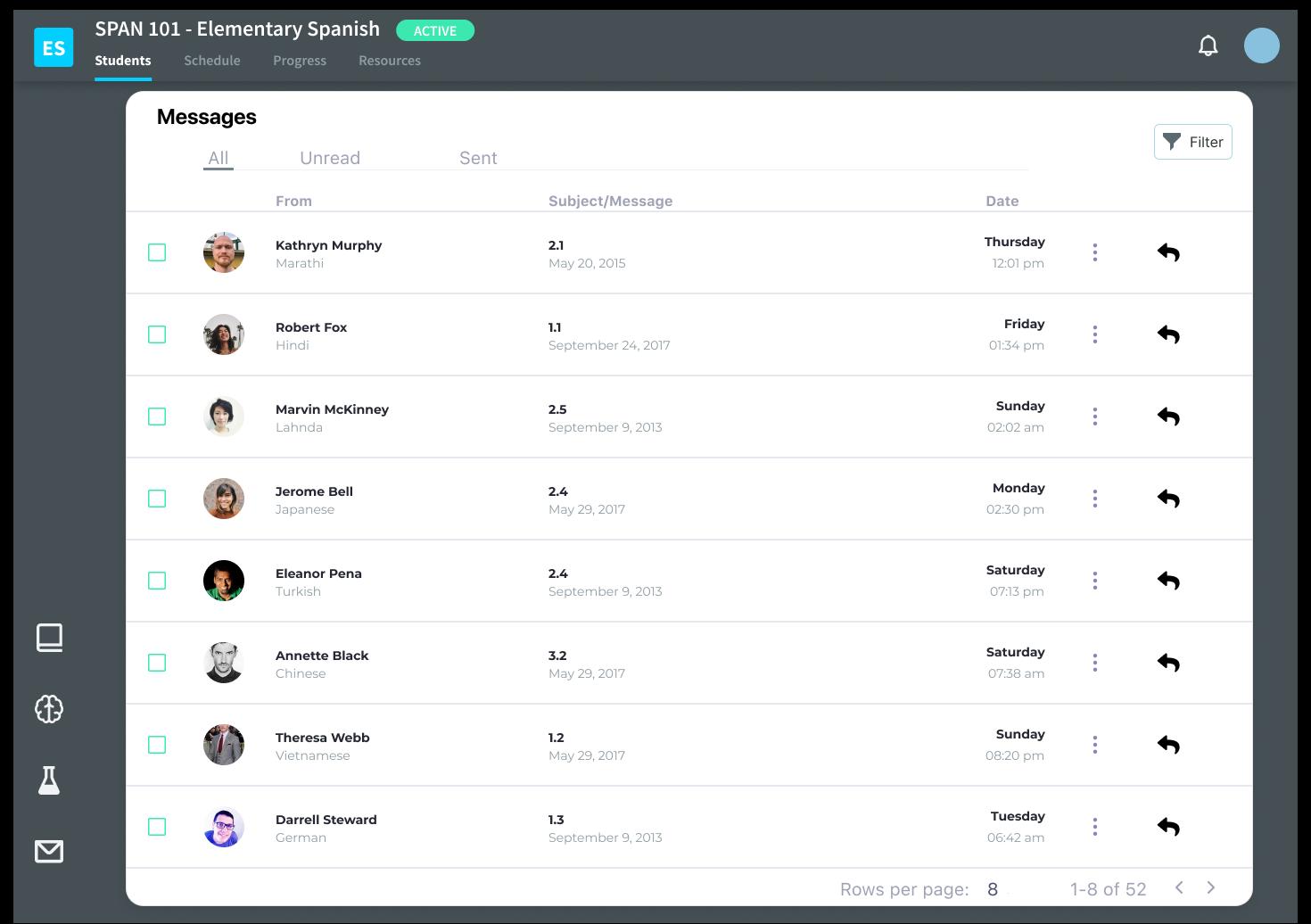
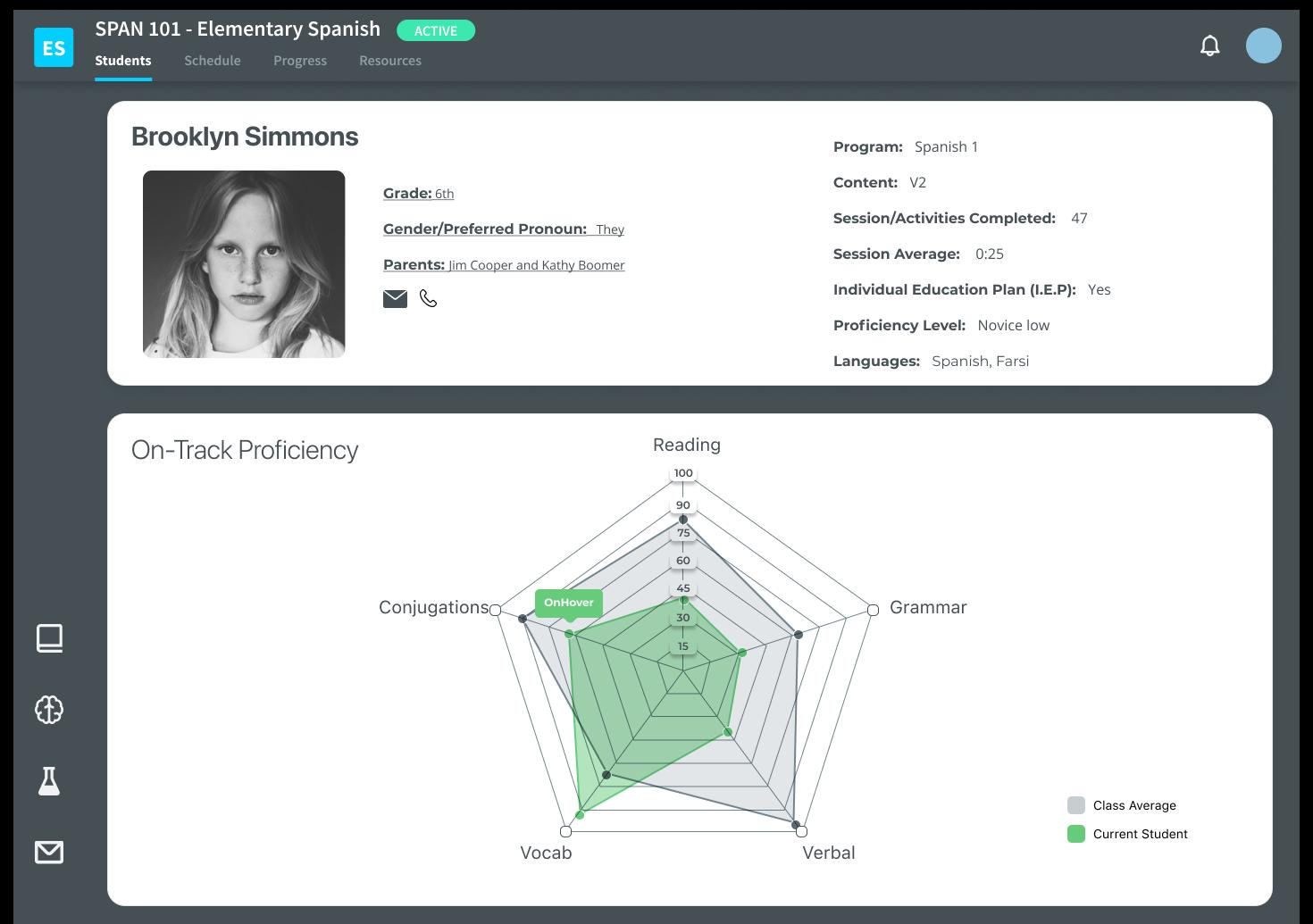
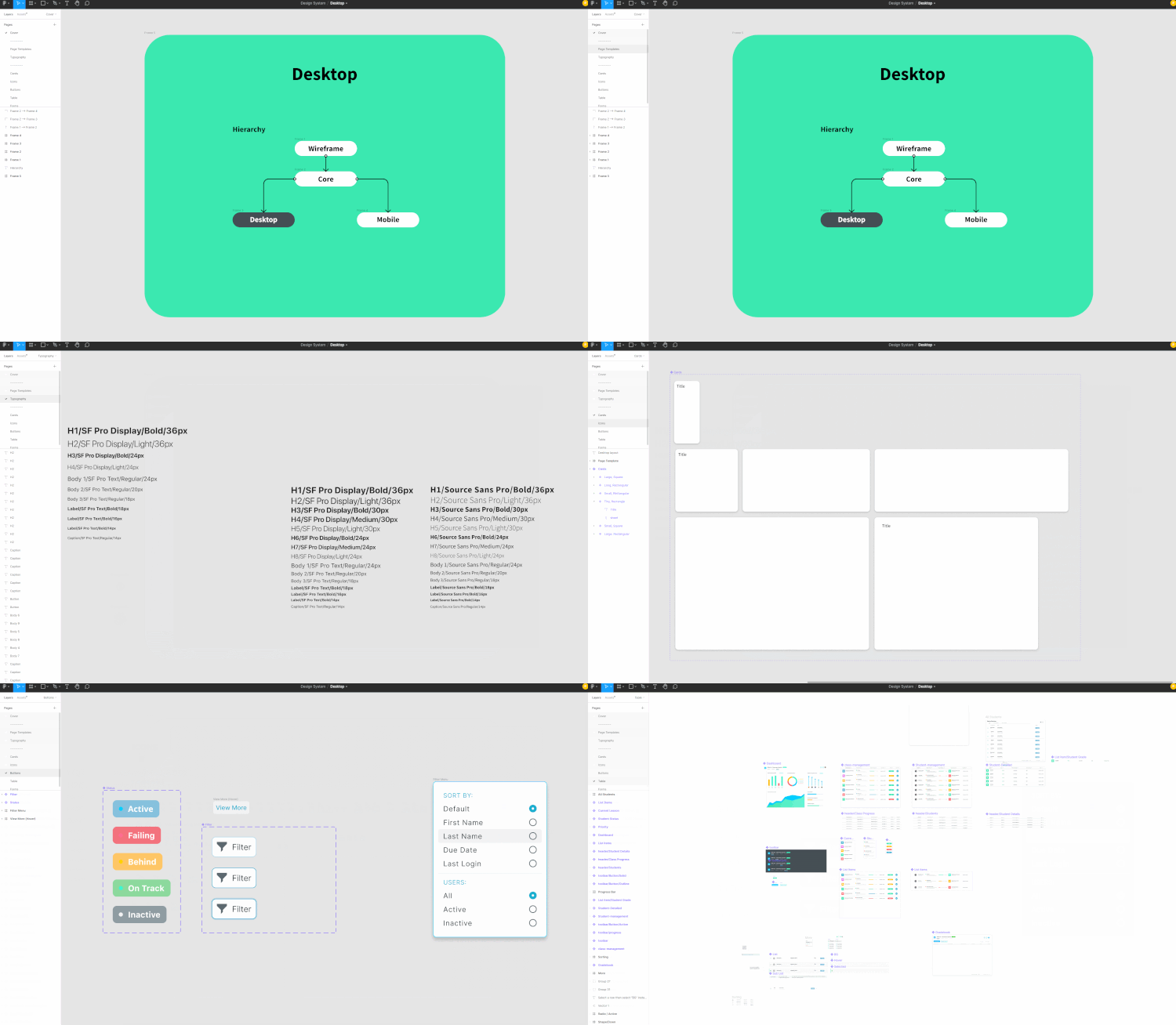
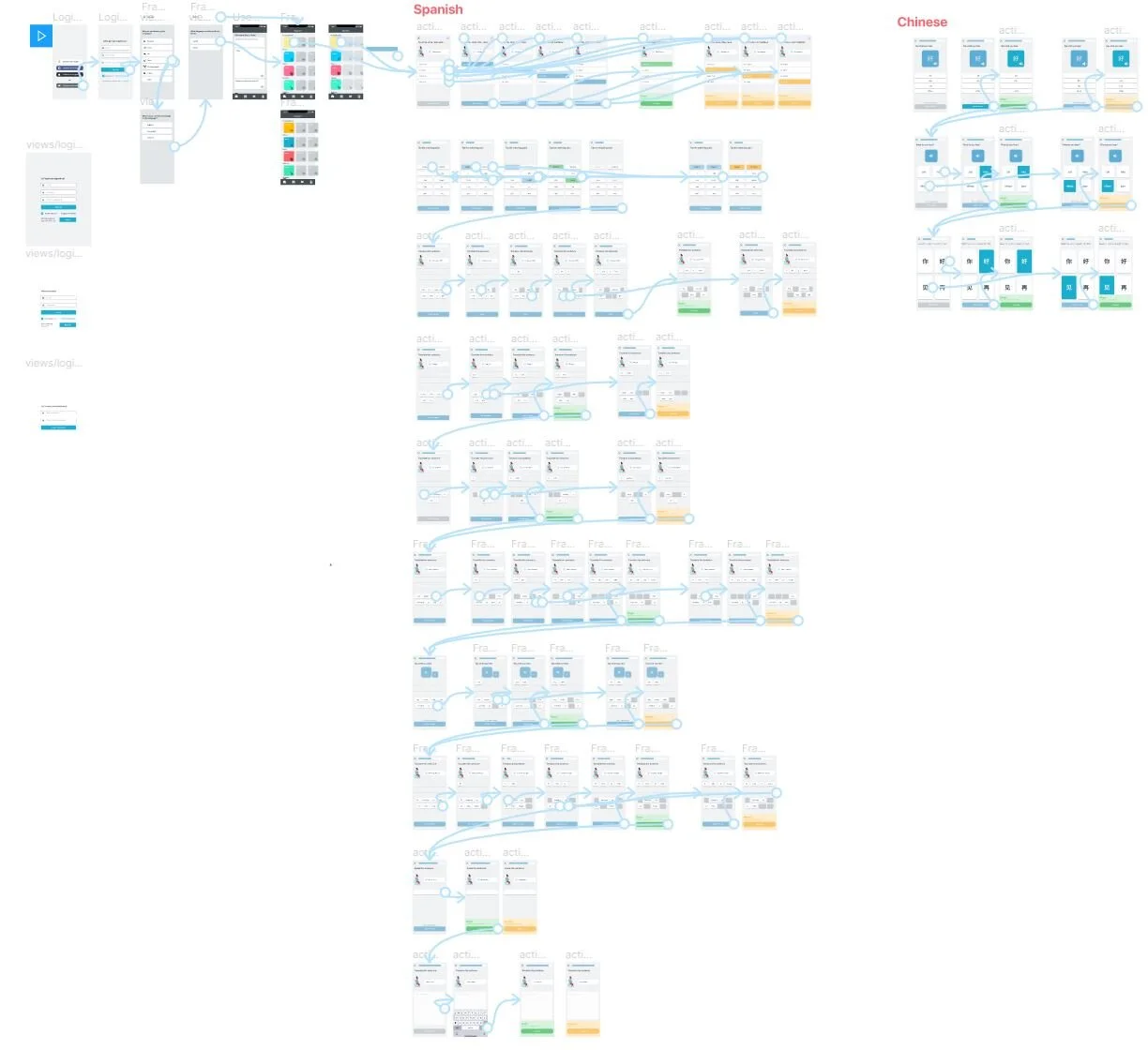
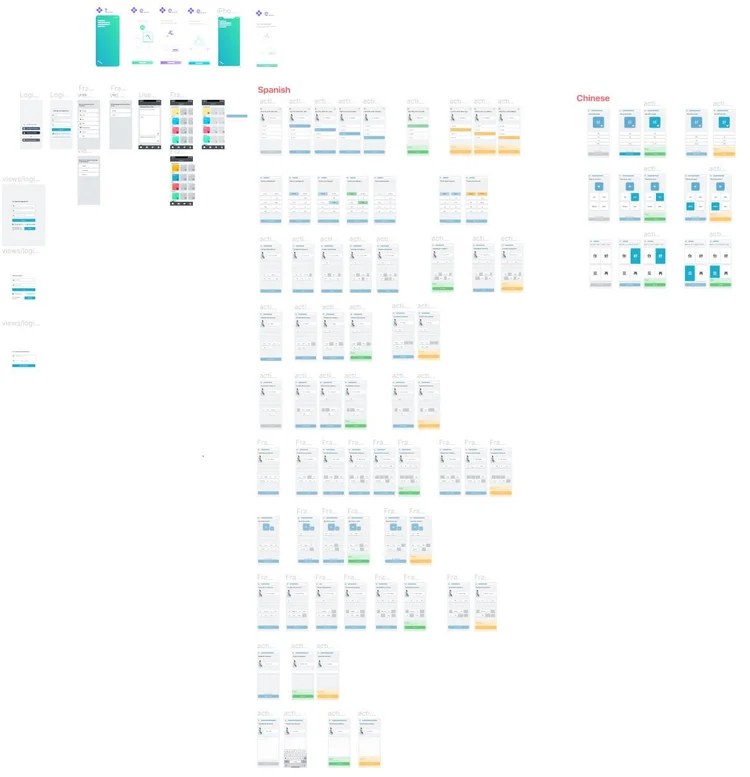
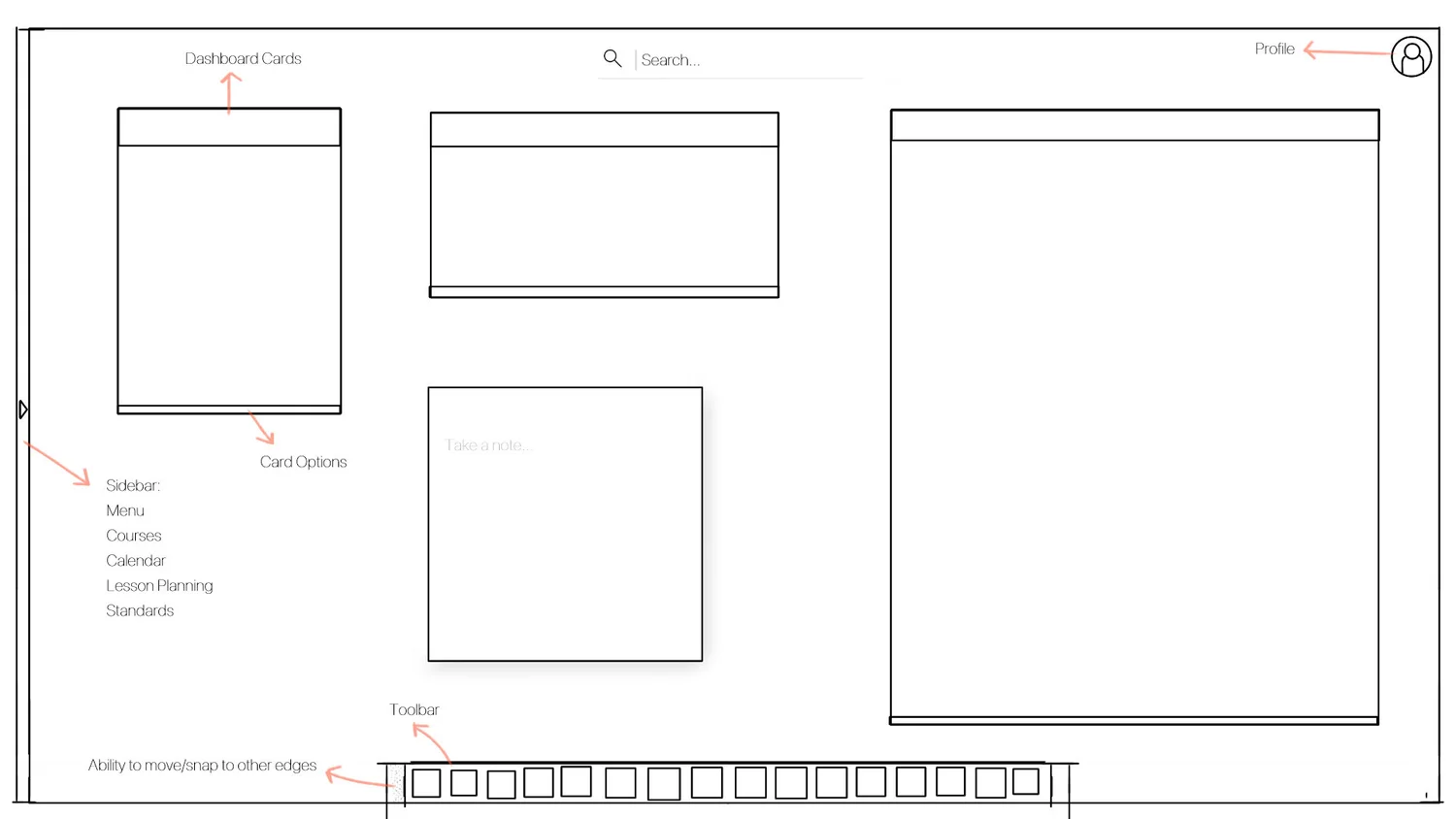
Wireframe
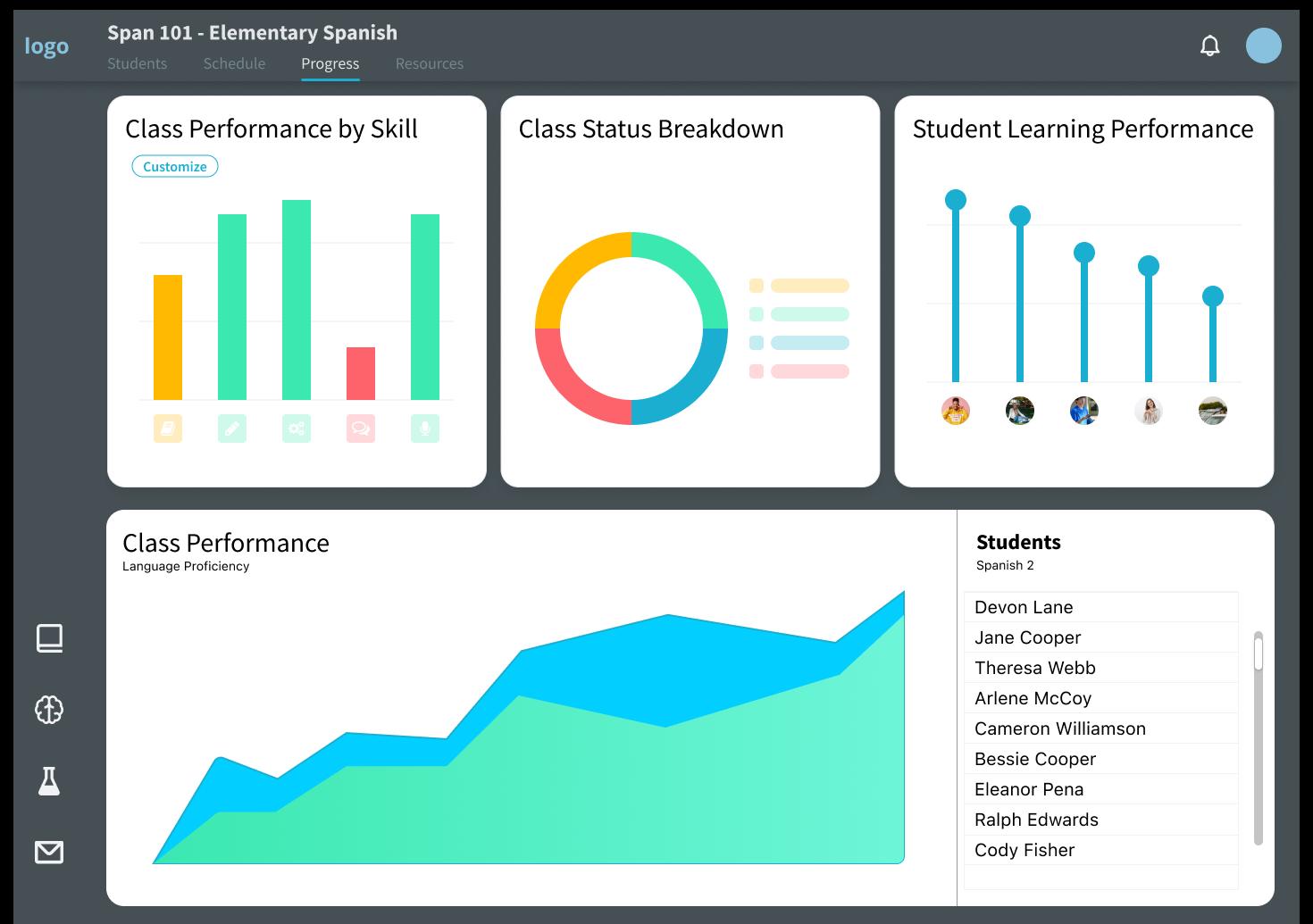
High fidelity
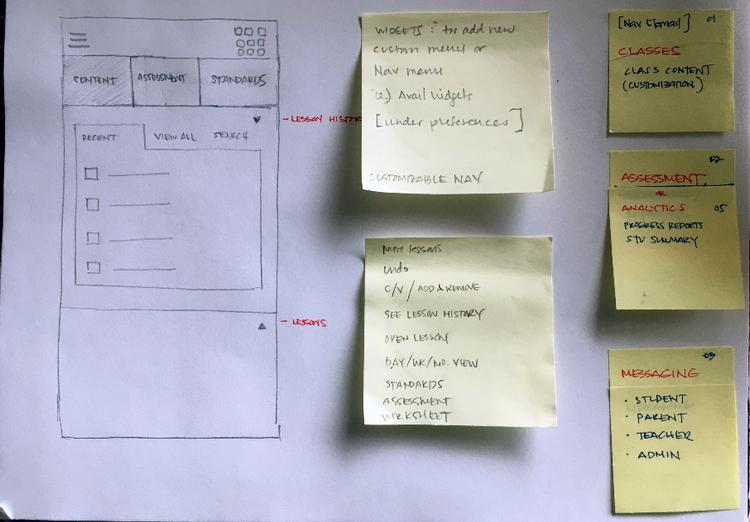
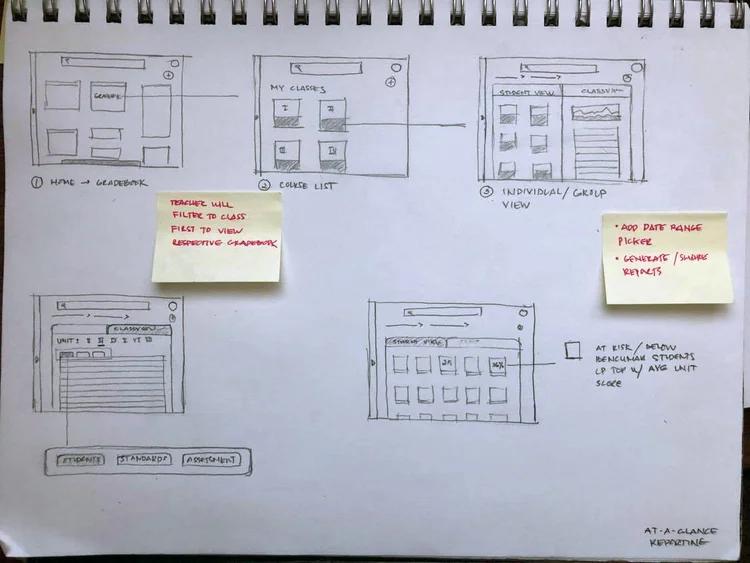
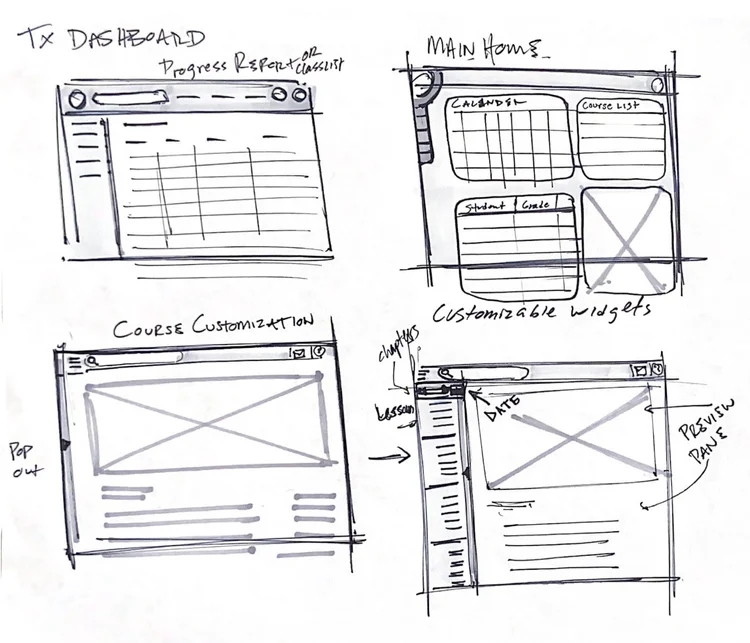
Sketching & Wireframes
These wireframes were not tested with users; the project ended before that round.
04 — Future Pipeline
Future Pipeline
Fold every tool teachers juggle into one place.
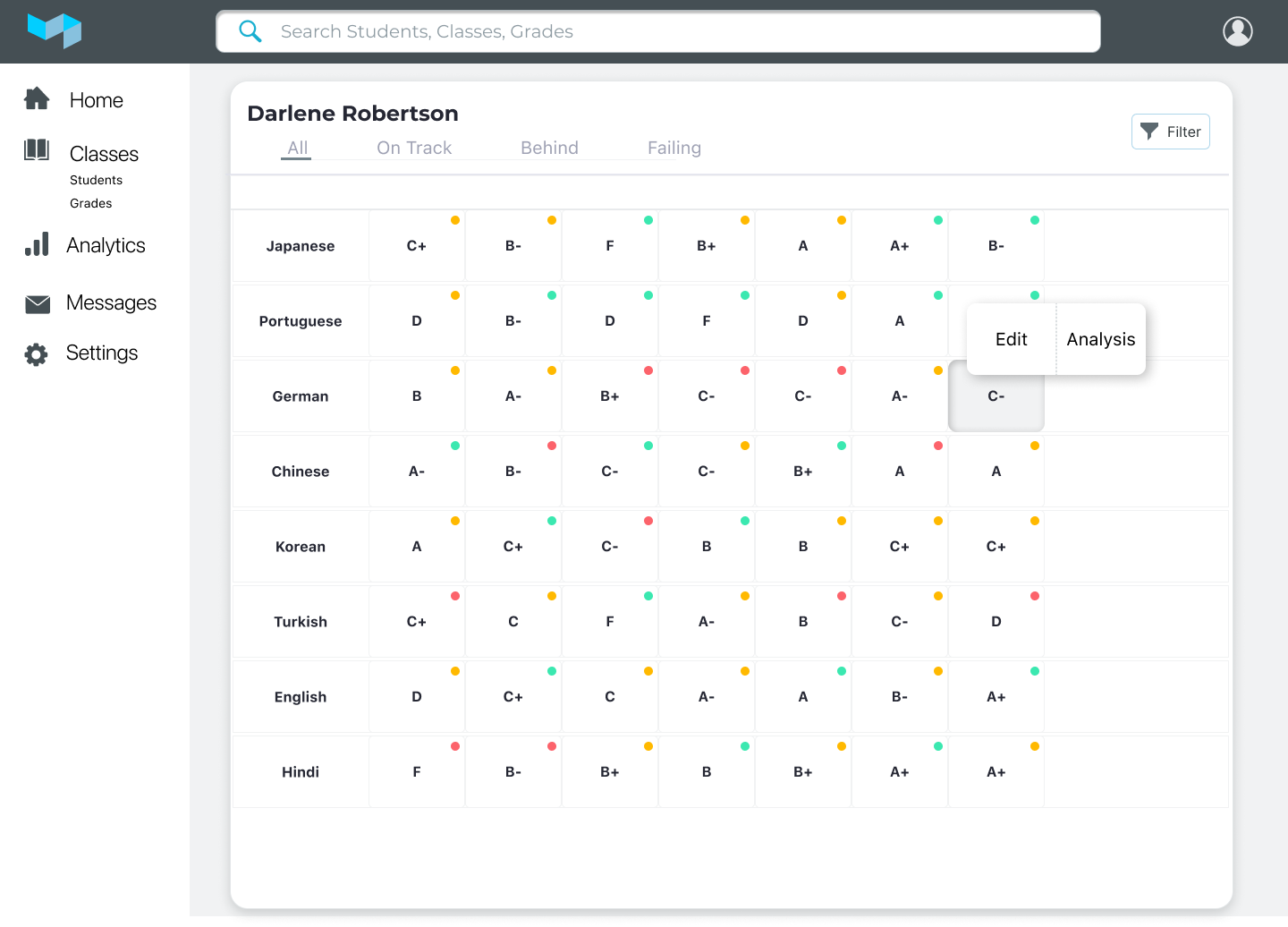
Work in progress at handoff: a lesson database and a gradebook, both designed to fold the tools teachers were juggling into one place.

05 — Where it ended
Where it ended
Helix was a startup, and the product never launched.
What the project did produce: a research-backed reframing of the problem, a teacher-first information architecture, and two design systems whose components went to development.