Faking 3D on an MCU
- Client
- Infineon
- Via
- Qt Group
- Role
- Lead UI Designer
A reference forklift HMI for Infineon's Traveo T2G microcontroller, built with Qt: a gauge cluster that fakes 3D with pre-rendered images, a 2D speedometer cluster, and a second display for camera views.
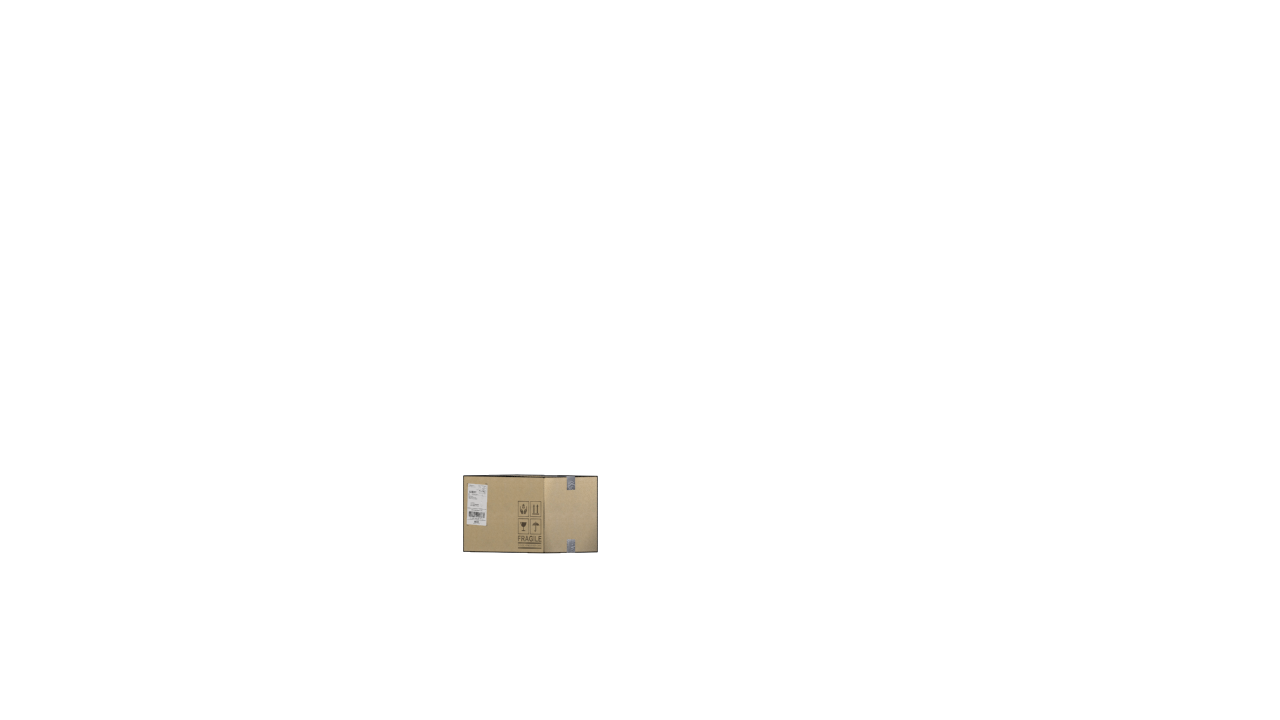
- 01Faked a 3D forklift on a microcontroller: rendered each moving part as a separate layer, and the cluster swaps images as the forks move. One single cardboard box is repeated 12 times.
- 02Designed a reference HMI showing a full move from analog gauges to rich LCD-TFT graphics on the Traveo T2G
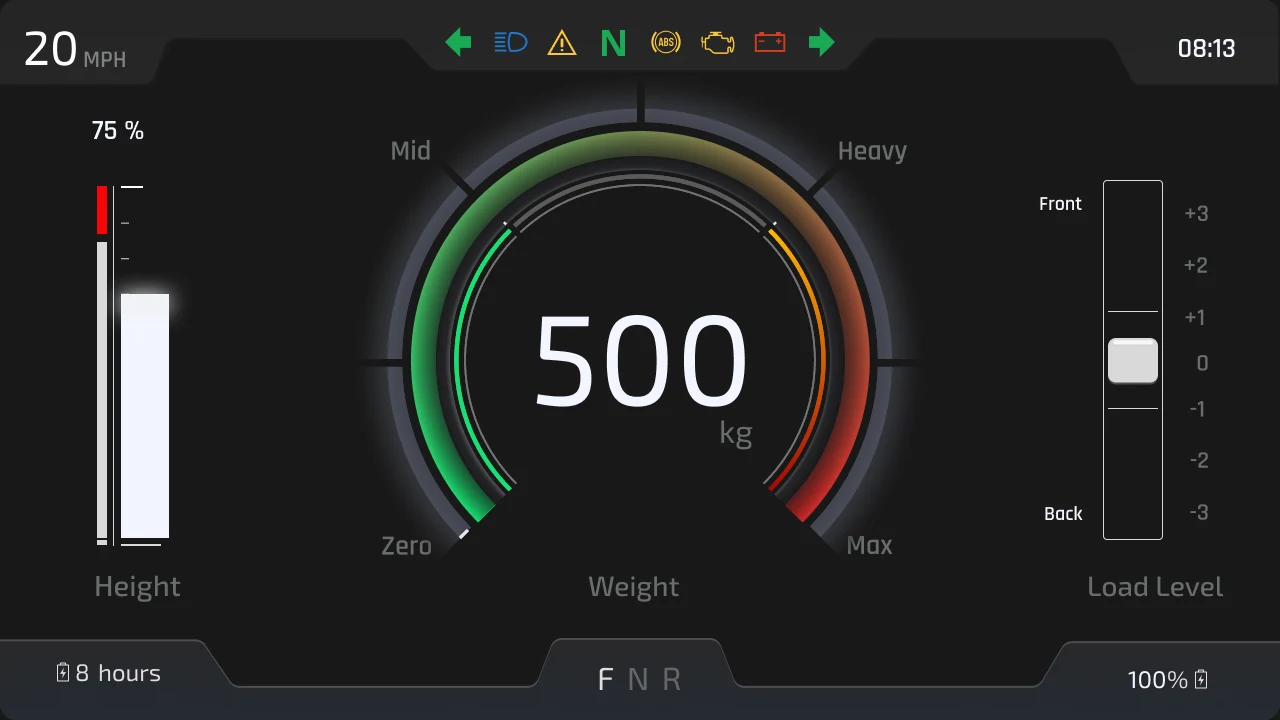
- 03Created two cluster styles for the same vehicle: a 3D rendered view and a 2D speedometer
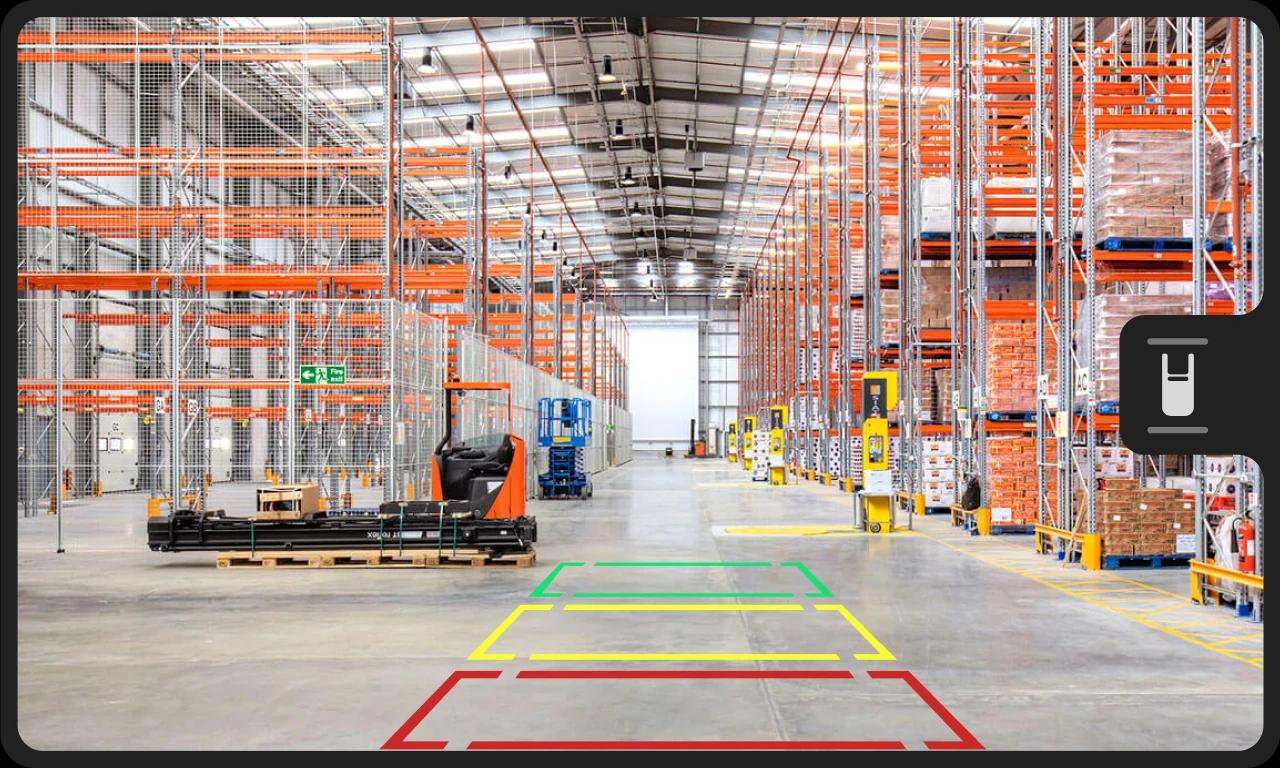
- 04Designed a second display that shows the view from connected cameras, with other on-screen elements layered on top
Within rated capacity. Rated 2,500 kg at this height.
01 — Why it matters
Why it matters
Commercial and agricultural vehicle (CAV) makers are (at the time of the project) rapidly undergoing a full digitization of their GUIs, including transformation of analog GUIs to LCD-TFT rich graphics.
This reference design, made with Qt for Infineon, shows what that shift looks like on the Traveo T2G.
02 — Faking 3D
Faking 3D
The Traveo T2G is a microcontroller (MCU), built for 2D graphics rather than real-time 3D. The goal was to push how rich a cluster it could drive anyway.
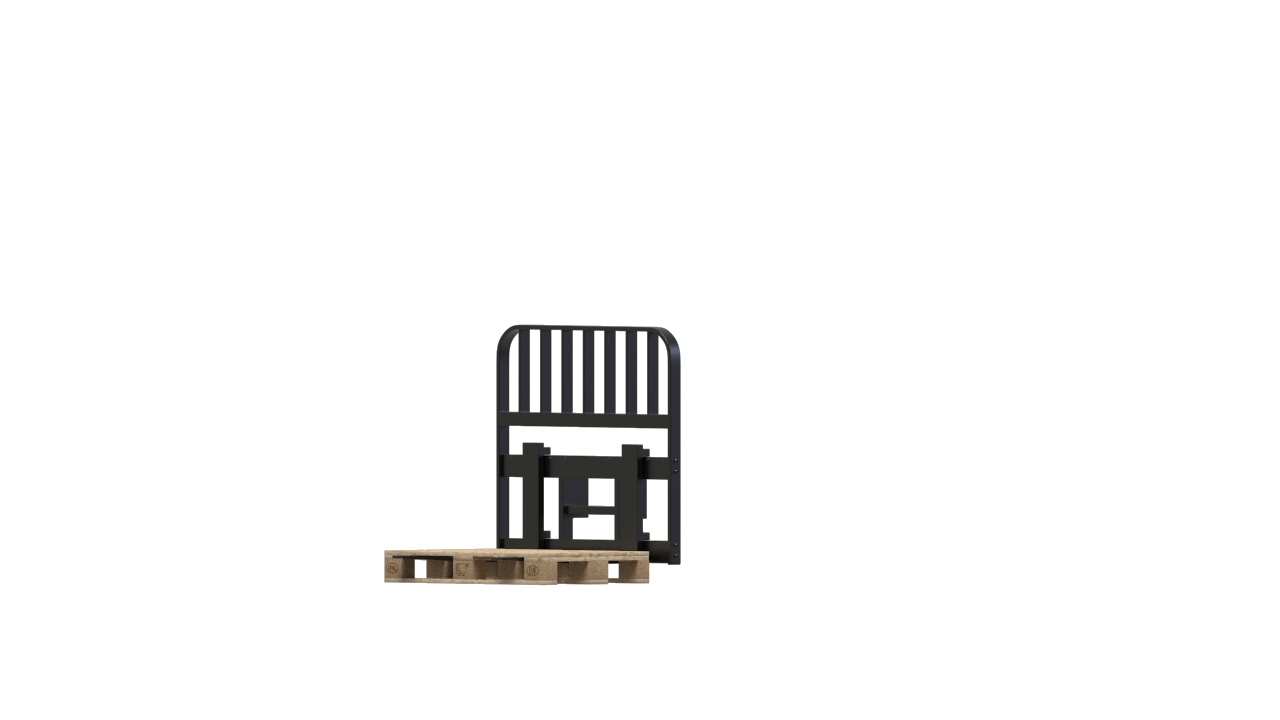
Instead of rendering 3D on the chip, I drew on my industrial design background. I rendered each moving part as a separate layer. As the height changes, the Fork moves up and down in the y axis. Weight is shown by hiding/showing cardboard boxes. To save space on the hardware I reuse the same cardboard box 12 times. The forklift reads as 3D, but the MCU only ever shows a still image.
03 — Two cluster styles
Two cluster styles
The concept includes two different styles for the same cluster. The 3D style, shown in the prototype above, puts a rendered model of the forklift at the center. Fork height and load are shown on the vehicle itself, with gauges that read against it.
The 2D style uses a more traditional speedometer layout for makers moving over from analog clusters.
04 — Second display: camera view
Second display: camera view
A second display shows the view from connected cameras and layers other elements on top before showing it to the operator.
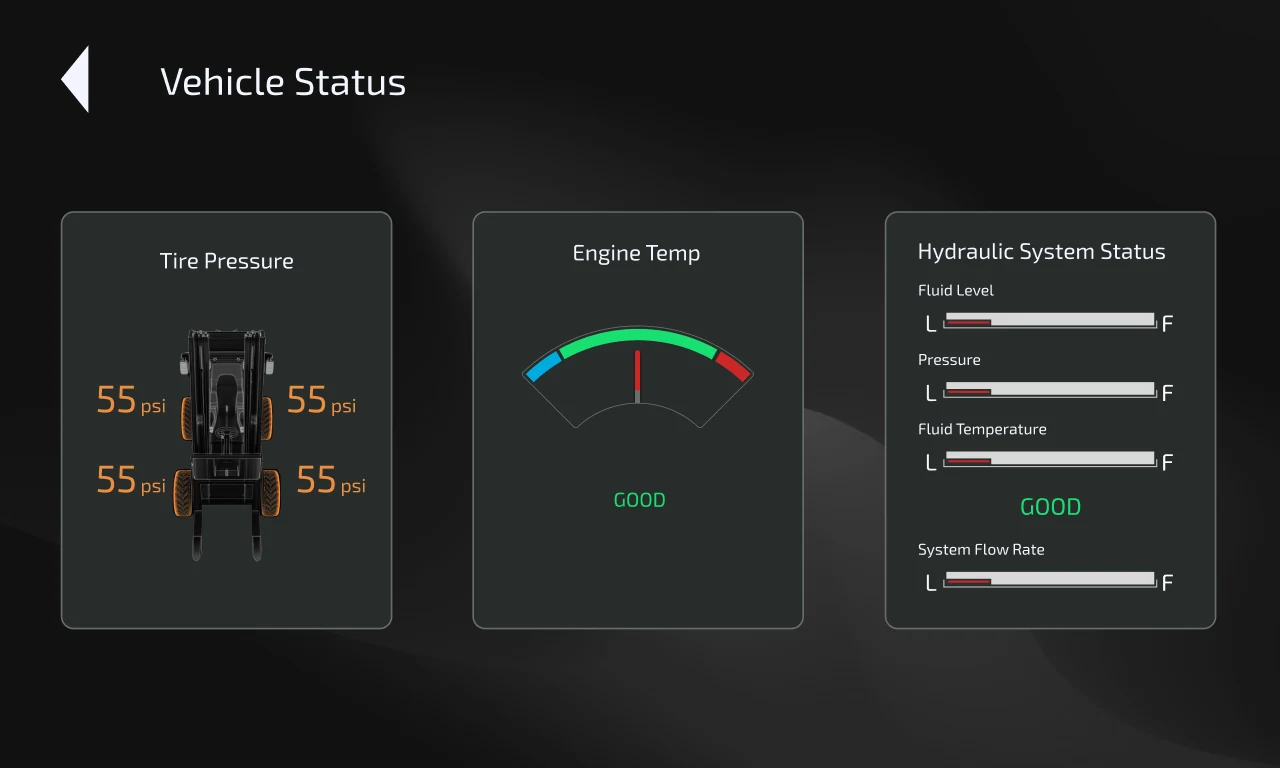
The same display also carries a vehicle status screen for tire pressure, engine temperature and the hydraulic system.